
When it comes to browsing the internet, one of the most important decisions you can make is choosing the right DNS server. A DNS (Domain Name System) server plays a key role in translating domain names into IP addresses, ensuring that you can access websites quickly and securely. But how do you know which DNS server to choose?
In this article, we’ll explore the best DNS servers for security, privacy, and performance, and help you make the right choice for your needs. Read on to understand how the right DNS server can elevate your browsing experience and protect you from potential threats.
What Is a DNS Server and Why Does It Matter?
A DNS server acts as the internet’s phonebook. It resolves domain names into IP addresses, allowing your browser to find websites. While you may not notice it, a DNS server plays a crucial role in your internet experience. Using a reliable DNS server ensures fast and secure browsing, while a poor DNS provider can lead to slow speeds and potential security vulnerabilities.
Different DNS servers offer various benefits. Some focus on speed, delivering faster internet browsing, while others prioritize security, protecting you from malicious websites and cyber threats. Choosing the right DNS server can drastically improve your online experience, whether you’re simply browsing or accessing sensitive data.
The need for enhanced security and privacy online has increased in recent years. A good DNS server can protect you from various threats like phishing attacks, malware, and other malicious activities. Choosing the right DNS server means opting for a service that not only resolves your queries quickly but also safeguards your online activity.
For example, a service like check your favorite website status helps ensure that your DNS provider is consistently performing well. By knowing which server is optimal, you can avoid unexpected downtimes or performance issues.
Key Factors to Consider When Choosing a DNS Server
When selecting a DNS server, there are several factors to consider: speed, security, reliability, and privacy. Each of these elements can affect your browsing experience and the safety of your data online.
Speed: A faster DNS server reduces the time it takes for your browser to connect to websites. Slow DNS resolutions can lead to delays in accessing your favorite websites, which is frustrating.
Security: The DNS server you choose can have a big impact on your security. Some servers offer features like DNSSEC (Domain Name System Security Extensions), which helps protect against attacks like DNS spoofing.
Reliability: A DNS server that frequently goes offline can disrupt your internet connection. It’s essential to select a DNS provider with a strong track record of uptime to avoid interruptions during browsing.
Privacy: Some DNS providers log your activity, which could be a concern for users who value their privacy. To ensure your browsing history remains private, opt for DNS servers that do not store logs of your activity.
If you’re unsure which server to choose, consider looking into guides such as dns server configuration to better understand what settings you should adjust for improved security and performance.
Best DNS Servers for Speed
Speed is one of the most critical factors when selecting a DNS server. While DNS servers generally don’t slow down your connection significantly, a slow DNS server can still delay web page loading times. To get the best speed, you should choose DNS providers known for their low-latency servers and high-resolution speeds.
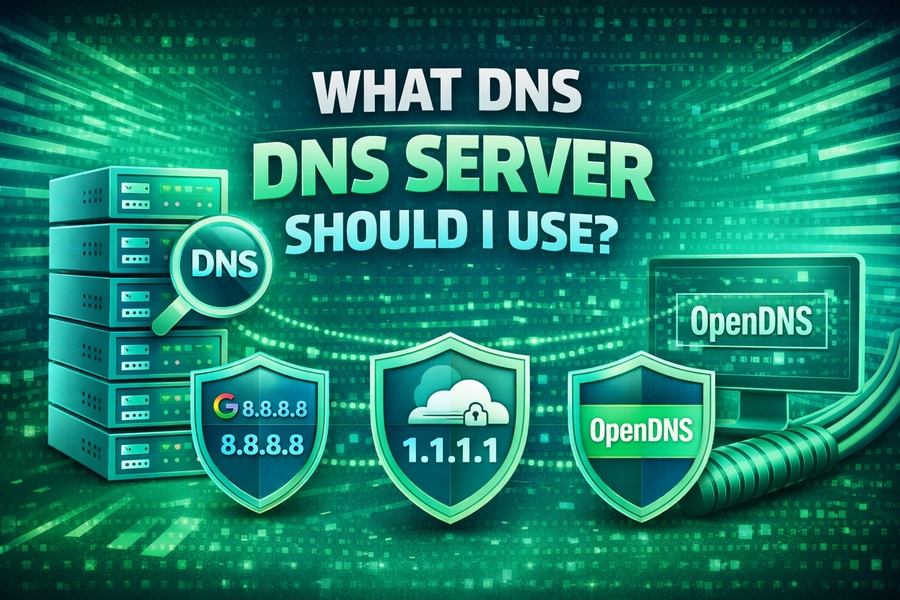
Some of the top DNS servers for speed include Google DNS, Cloudflare DNS, and OpenDNS. These services have robust global server infrastructures that can help you access websites quickly, no matter your location.
For example, Cloudflare DNS claims to be the fastest DNS provider, offering a resolution time of under 14 milliseconds. Google DNS is another popular choice, with its impressive infrastructure supporting millions of users worldwide.
When considering speed, it’s crucial to evaluate your location. Different DNS servers may perform better in certain regions. To determine which DNS server is best for you, it’s worth testing several providers. You can use tools to help you assess DNS server performance, ensuring you pick the one that delivers the best speed for your location.
To find out more about server performance and diagnostics, you might want to check guides such as how to fix dns server not responding for tips on troubleshooting DNS issues and improving server speeds.
DNS Servers for Enhanced Security
Security is an essential consideration when selecting a DNS server. DNS servers can act as a first line of defense against various cyber threats, such as malware, phishing attacks, and domain hijacking. For users concerned about privacy and security, some DNS providers offer additional features, including DNS filtering and DNSSEC.
Cloudflare DNS and Quad9 are two providers that stand out for their strong security features. Cloudflare DNS focuses on user privacy and security, offering DNS-over-HTTPS (DoH) and DNS-over-TLS (DoT) to encrypt your DNS queries and protect against eavesdropping.
Quad9, on the other hand, is designed to block access to known malicious domains. By routing your DNS queries through its secure infrastructure, Quad9 prevents access to harmful websites, protecting your device from malware, ransomware, and other cyber threats.
For users experiencing DNS-related security issues, guides like dns server isn’t responding can provide actionable steps to ensure your DNS provider is properly configured for enhanced security.
Public vs. Private DNS Servers
When choosing a DNS server, it’s also important to understand the difference between public and private servers. Public DNS servers are those that are freely available to anyone on the internet, like Google DNS or Cloudflare DNS. These are great for users looking for quick setup and general security features.
Private DNS servers, on the other hand, are typically set up by businesses or individuals for their exclusive use. They offer more control over privacy and can be tailored to meet specific needs, such as custom filtering or DNS resolution rules. However, setting up a private DNS server requires more technical expertise.
For users seeking privacy and enhanced control, private DNS servers may be the best option. However, they come with the challenge of ongoing maintenance and the need for secure configurations. If you’re interested in learning more about public and private DNS servers, a useful resource is dns server configuration, which explains the advantages and challenges of each.
How to Test Your DNS Server
Testing your DNS server is crucial to ensuring that it meets your expectations for speed, security, and reliability. There are several tools and services available that can help you analyze DNS performance and detect issues.
For example, using a service like monitor your website performance can help you assess how well your DNS server is performing, and if it’s affecting your browsing speed.
To perform a test, try using DNS benchmarks or diagnostics tools that measure latency and resolution times. These tools can show you how quickly a server resolves domain names and whether it’s the best choice for your needs.
Regularly testing your DNS server ensures that you’re not stuck with a slow or unreliable service. It’s always better to be proactive in maintaining a high-performance browsing experience.
Benefits of Changing Your DNS Server
Changing your DNS server can offer numerous benefits, from improved speed to enhanced security. By switching to a better DNS provider, you may notice faster page load times, fewer interruptions, and more secure browsing overall.
Many internet service providers (ISPs) offer default DNS servers that might not be the best option for performance or security. Opting for a third-party DNS provider can help you optimize both aspects and ensure that you have the best DNS experience possible.
Some DNS providers, such as Cloudflare and Google DNS, offer simple setup processes that allow you to switch DNS servers easily without requiring technical expertise. You can make the change in just a few minutes, improving your overall browsing experience significantly.
How to Set Up a New DNS Server
Setting up a new DNS server is typically a simple process, and most modern devices allow you to configure DNS settings manually. Whether you’re using Windows, macOS, or a mobile device, you can change your DNS settings to point to a better DNS server.
Here are some simple steps to set up a new DNS server:
- Open your device’s network settings.
- Find the DNS settings for your active connection.
- Replace the default DNS server with the DNS server addresses of your chosen provider.
- Save the settings and restart your connection.
For those who are unfamiliar with configuring DNS, guides such as how to clear dns cache can provide step-by-step instructions to help ensure everything is properly set up.
Conclusion
Choosing the right DNS server is crucial for maintaining a fast, secure, and reliable internet connection. Whether you prioritize speed, security, or privacy, there’s a DNS server out there that’s right for you.
Remember, DNS servers like Cloudflare and Google DNS offer fast speeds, while others like Quad9 focus on security. Testing and configuring your DNS settings regularly can ensure that you get the best performance and security for your online activities.
Ultimately, switching to a better DNS server can result in faster browsing, enhanced security, and a more reliable internet experience. Make sure to evaluate your options carefully and choose the server that best fits your needs.