
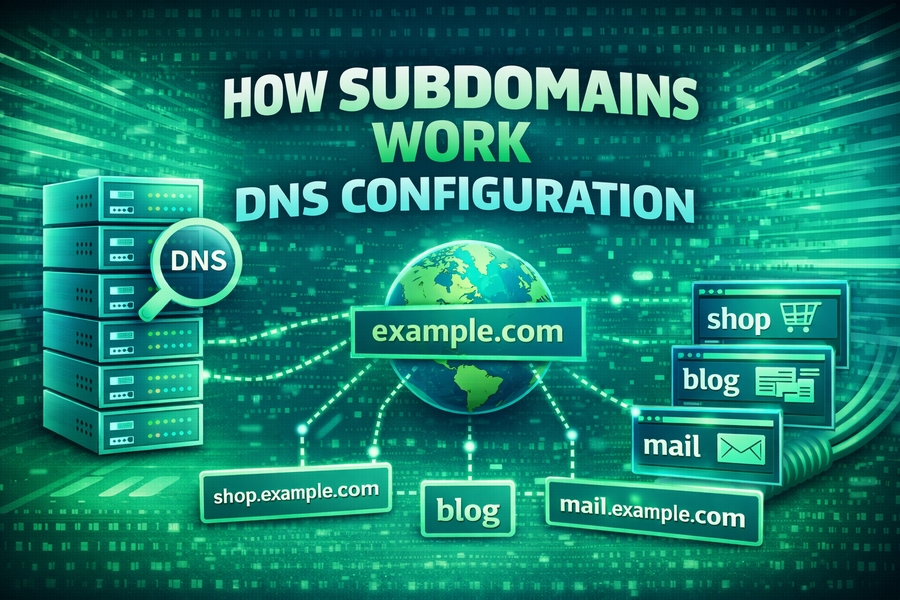
Understanding subdomains and DNS configuration is crucial for website management. Subdomains allow website owners to create separate sections of their website, making it easier to organize content and manage resources. With the help of DNS configuration, subdomains can be routed to the right server or platform, ensuring that visitors access the appropriate content seamlessly.
This guide will walk you through how subdomains work, their role in DNS configuration, and how to set them up for your website.
What is a Subdomain and How Does It Work?
A subdomain is a prefix added to your main domain, separated by a dot (e.g., blog.example.com). It allows you to organize content into distinct sections that can serve different purposes, such as blogs, customer support pages, or product sections. The key to subdomains is their ability to create virtual “mini-websites” under your main domain.
For example, if your website is example.com, you can create a subdomain like shop.example.com for your e-commerce store. This helps keep your website organized and efficient by creating a clear structure for different types of content. In essence, subdomains are essential for organizing websites into clear, manageable sections, each serving a different audience or purpose.
When setting up a subdomain, DNS configuration plays a crucial role in ensuring that traffic is routed correctly. A DNS (Domain Name System) record tells the internet where to send requests for specific subdomains. For instance, when someone visits shop.example.com, DNS records direct the request to the server hosting the content for the e-commerce store.
For more details on how to handle such configurations, refer to a useful guide on how to fix DNS server not responding.
The Role of DNS Configuration in Subdomains
DNS (Domain Name System) is the backbone of the internet, ensuring that websites are accessible by mapping human-readable domain names (like example.com) to IP addresses. When you set up a subdomain, DNS configuration ensures that visitors are routed to the correct server hosting the subdomain’s content.
Setting up a subdomain typically involves configuring DNS records, including A records, CNAME records, and MX records, depending on what you’re trying to achieve. An A record links your subdomain to a specific IP address, while a CNAME record points the subdomain to another domain name. This ensures that traffic intended for your subdomain reaches the right destination.
A typical example would be setting up a subdomain for a blog or an online store. For the blog subdomain (blog.example.com), you’d configure an A record pointing to the server where your blog is hosted. Similarly, for external services like cloud storage, you’d use CNAME records to point the subdomain to the external service’s domain, such as storing your files on a different platform while keeping the same domain structure.
If you are unsure about how DNS configurations work, checking your website’s status and DNS settings might be a good start. You can check your favorite website status to ensure everything is running smoothly.
Subdomain Types and Their Uses
Subdomains come in various forms and can be used for different purposes, depending on the needs of your website. Below are some of the common types of subdomains:
1. Generic Subdomains
These are the most commonly used subdomains, such as blog.example.com or shop.example.com. They are used to divide content into logical sections, which helps both site visitors and search engines understand the structure of your website.
2. Regional Subdomains
For websites that cater to different geographical regions, you might want to create regional subdomains. For instance, if you have a website that targets both the United States and the United Kingdom, you could create us.example.com and uk.example.com as subdomains. These subdomains would host content specific to those regions, improving localization and user experience.
3. Test and Development Subdomains
Subdomains can also be used for staging or development environments. Developers often set up subdomains like dev.example.com or staging.example.com to test new features or changes before deploying them to the main website. This way, you can ensure that everything works smoothly without affecting the live site.
4. Service-Specific Subdomains
For businesses offering multiple services, it is helpful to use subdomains for different services, such as support.example.com for customer support or api.example.com for API documentation and access. This allows for better organization and scalability.
Each of these subdomains plays a critical role in structuring content and services for different audiences. Proper DNS configuration ensures that users are directed to the correct servers when they access these subdomains.
For a more detailed look at configuring DNS for various services, you can read more about DNS server configuration.
How to Set Up a Subdomain Using DNS Configuration
Setting up a subdomain requires a few key steps in your DNS configuration. Here’s a simple guide on how to do it:
- Access Your Domain’s DNS Settings: Log into your domain registrar’s account, where your domain is hosted. This could be a service like GoDaddy, Namecheap, or Bluehost.
- Create a New DNS Record: Depending on the type of subdomain you want to create, select either an A record or a CNAME record. An A record points to an IP address, while a CNAME record points to another domain name.
- Enter Subdomain Name and Target: For an A record, you’ll input the subdomain name (e.g., shop) and the server’s IP address. For a CNAME record, you’ll enter the subdomain name and the target domain (e.g., cloudstorage.example.com).
- Save the Configuration: Once the DNS record is added, save the configuration and wait for the changes to propagate. This can take anywhere from a few minutes to 24 hours.
DNS propagation can be a bit slow, so it’s important to be patient. If you need to monitor the status of your subdomain setup, consider using tools to monitor your website performance.
Common DNS Configuration Problems and How to Fix Them
While setting up subdomains is straightforward, it’s not uncommon to encounter issues with DNS configuration. Some of the most common problems include:
- DNS Propagation Delay: DNS changes take time to propagate across the internet. If you’re not seeing the subdomain work immediately, it’s likely due to this delay.
- Incorrect DNS Records: Ensure that the correct type of DNS record (A or CNAME) is used and that the correct IP address or domain name is entered.
- Wildcard Records Conflict: Wildcard records (e.g., *.example.com) can interfere with specific subdomains. If a wildcard record is set up, it could cause issues for new subdomains.
- HTTPS and SSL Issues: If your subdomain requires SSL encryption, ensure that you have a valid SSL certificate for each subdomain.
For more troubleshooting tips, refer to our article on fixing DNS server not responding.
Conclusion: Best Practices for Managing Subdomains and DNS Configuration
Managing subdomains and DNS configurations effectively is essential for website organization, performance, and scalability. By using DNS records such as A and CNAME, you can ensure that each subdomain points to the correct server or service. It’s also crucial to monitor your DNS settings regularly to prevent issues such as propagation delays or misconfigured records.
With proper DNS configuration, subdomains can serve as powerful tools for managing your website’s content, services, and regions. Following best practices in DNS setup will help you avoid common pitfalls and ensure that your visitors have a seamless browsing experience.
For further information, check out how to prevent website downtime to ensure your subdomains are always available to users.